

Introduction
If you want your website to rank higher on search engines and deliver a smooth user experience, you must understand Core Web Vitals. These metrics have become a key part of modern SEO, and ignoring them can hurt your traffic and conversions.
This core web vitals optimization guide will help you understand everything in a simple way. Whether you are a beginner or someone with basic SEO knowledge, this guide will walk you through practical steps to improve your website performance.
In recent years, search engines have started focusing more on user experience. That means your website must not only have good content but also load fast, respond quickly, and remain stable while loading. This is where Core Web Vitals come in.
What is Core Web Vitals Optimization Guide?
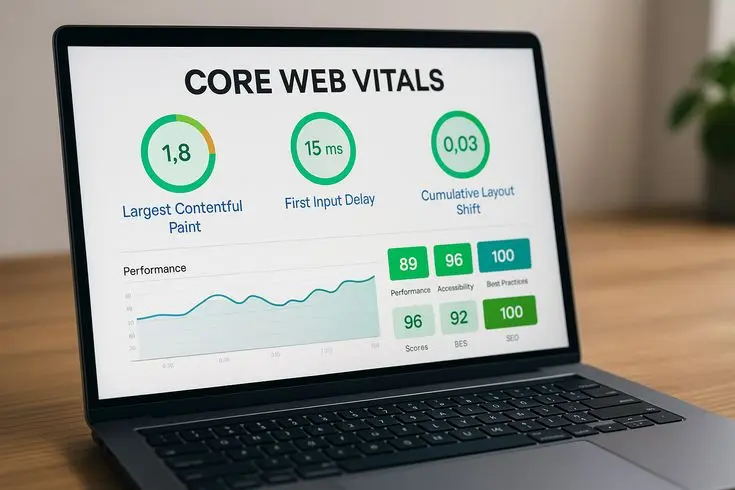
A core web vitals optimization guide is a structured approach to improving three main performance metrics that measure user experience on your website.
These metrics are:
- Largest Contentful Paint (LCP) – Measures loading performance
- First Input Delay (FID) – Measures interactivity
- Cumulative Layout Shift (CLS) – Measures visual stability
In simple words, Core Web Vitals tell you how fast your page loads, how quickly users can interact with it, and how stable it looks while loading.
For example, if your page takes too long to show the main content, users may leave. Similarly, if buttons move while loading, users may click the wrong thing. These issues reduce trust and increase bounce rate.
This core web vitals optimization guide focuses on improving these metrics so your website becomes faster, smoother, and more user-friendly.
Why is Core Web Vitals Optimization Important?
Understanding the importance of Core Web Vitals is essential before you start optimizing.
First, search engines use these metrics as a ranking factor. That means better performance can help your site rank higher.
Second, user experience directly impacts conversions. A slow or unstable website frustrates users, which leads to fewer sales or leads.
Here are the key reasons why this core web vitals optimization guide matters:
- Improves search engine rankings
- Enhances user experience
- Reduces bounce rate
- Increases engagement
- Boosts conversion rates
For example, if your website loads in under two seconds and feels smooth, users are more likely to stay and explore.
On the other hand, poor performance can push visitors away, even if your content is excellent.
Detailed Step-by-Step Guide

Step 1: Improve Largest Contentful Paint (LCP)
LCP measures how long it takes for the main content of your page to load. Ideally, it should be under 2.5 seconds.
To improve LCP:
- Use fast and reliable hosting
- Optimize images (compress and resize)
- Use modern image formats like WebP
- Enable caching
- Reduce server response time
Example: If your homepage has a large banner image, compressing it can significantly reduce loading time.
This step is essential in any core web vitals optimization guide because slow loading is the most common issue.
Step 2: Reduce First Input Delay (FID)
FID measures how quickly your website responds when a user interacts with it.
To improve FID:
- Minimize JavaScript usage
- Break long tasks into smaller chunks
- Use browser caching
- Remove unused scripts
- Use lightweight themes and plugins
For example, if your website uses too many scripts, it may delay user interaction. Reducing them improves responsiveness.
Step 3: Fix Cumulative Layout Shift (CLS)
CLS measures how stable your page layout is while loading.
To reduce CLS:
- Set size for images and videos
- Avoid inserting content above existing content
- Use proper font loading techniques
- Reserve space for ads
Example: If a button moves while loading, users may click the wrong area. Fixing layout shifts improves trust and usability.
Step 4: Optimize Images
Images often slow down websites.
Best practices:
- Compress images before uploading
- Use responsive images
- Lazy load images
- Choose the right format
This is a critical step in any core web vitals optimization guide because images can affect all three metrics.
Step 5: Use a Content Delivery Network (CDN)
A CDN helps deliver content faster by using servers closer to the user.
Benefits include:
- Faster loading times
- Reduced server load
- Improved global performance
For example, if your audience is worldwide, a CDN ensures faster access for all users.
Step 6: Enable Browser Caching
Browser caching stores files locally on users’ devices.
This means:
- Faster repeat visits
- Reduced server requests
- Better overall performance
This step supports the overall goals of this core web vitals optimization guide.
Step 7: Minimize CSS and JavaScript
Large CSS and JavaScript files can slow down your website.
To optimize:
- Minify files
- Remove unused code
- Combine files where possible
This reduces loading time and improves interactivity.
Step 8: Improve Server Performance
Your server plays a major role in performance.
To optimize:
- Upgrade hosting if needed
- Use faster servers
- Optimize database queries
A slow server can affect all Core Web Vitals metrics.
Benefits of Core Web Vitals Optimization
- Faster website loading speed
- Better search engine rankings
- Improved user experience
- Higher conversion rates
- Lower bounce rates
- Increased user engagement
- Stronger brand trust
Following this core web vitals optimization guide can significantly improve your website’s performance and results.
Disadvantages / Risks
- Requires time and effort
- May need technical knowledge
- Some tools may cost money
- Over-optimization can break features
- Frequent updates may be needed
While these challenges exist, the long-term benefits outweigh the risks.
Common Mistakes to Avoid
Many website owners make mistakes when trying to improve performance.
Here are some common ones:
- Ignoring mobile optimization
- Using too many plugins
- Not compressing images
- Choosing slow hosting
- Forgetting to test performance regularly
Another mistake is focusing only on one metric instead of all three.
This core web vitals optimization guide emphasizes a balanced approach for best results.
FAQs
1. What are the three Core Web Vitals?
The three Core Web Vitals are LCP, FID, and CLS. They measure loading speed, interactivity, and visual stability.
2. How can I check my Core Web Vitals?
You can use tools like PageSpeed Insights or Search Console to analyze your website performance and identify issues.
3. Do Core Web Vitals affect SEO?
Yes, they are a ranking factor. Improving them can help your website rank higher in search results.
4. What is a good LCP score?
A good LCP score is under 2.5 seconds. Faster loading improves user experience and SEO.
5. How often should I optimize my website?
You should monitor performance regularly and optimize whenever needed, especially after updates.
6. Can beginners improve Core Web Vitals?
Yes, beginners can follow this core web vitals optimization guide and use simple tools to make improvements.
Expert Tips & Bonus Points
To take your optimization to the next level, follow these expert tips:
- Always test your website on mobile devices
- Use lightweight themes and frameworks
- Regularly audit your website performance
- Avoid unnecessary animations
- Optimize fonts and use system fonts when possible
Additionally, keep your website updated and remove outdated content or plugins.
Consistency is key. Improving performance is not a one-time task but an ongoing process.
Conclusion
Core Web Vitals are no longer optional. They are a critical part of modern SEO and user experience. If your website does not meet these standards, you may lose traffic, rankings, and conversions.
This core web vitals optimization guide has provided you with a clear and simple roadmap. From understanding the basics to implementing advanced techniques, you now have the tools to improve your website performance.
Start by focusing on the three main metrics: LCP, FID, and CLS. Then, follow the step-by-step strategies such as optimizing images, reducing scripts, and improving server performance.
